Leather is one of those materials that looks simple at first, but quickly becomes difficult when you want it to feel believable. In 3D, fake-looking leather is easy to spot: the surface is too flat, the roughness is too uniform, the wear feels random, or the grain is too strong and repetitive.
If you work on game props, historical assets, furniture, accessories, armor pieces, bags, belts, or product visualization, learning how to texture leather properly can make a big difference in the final quality of your work.
In this guide, we will break down what makes leather look realistic in Substance Painter, which details matter most, and how to build leather materials that feel more natural and less artificial.
Why Leather Often Looks Wrong in 3D
A lot of leather materials fail for the same reasons. The most common issue is that artists treat leather like a flat brown surface with a bit of noise on top. Real leather is much richer than that. It has subtle variation, compression, tension, wear patterns, sheen differences, and different levels of softness depending on the type of object.
A leather boot does not reflect light like a leather sofa. A worn belt does not age like a polished handbag. An old medieval pouch does not behave like modern synthetic leather. If the material does not match the function of the object, it immediately feels off.
Realism comes from understanding both the surface and the context.
Start With the Type of Leather
Before adding any smart material, mask, or roughness variation, ask a simple question:
What kind of leather is this supposed to be?
That decision changes everything.
Some common directions include:
- smooth polished leather
- soft matte leather
- cracked aged leather
- dry rugged leather
- dirty worn leather
- embossed decorative leather
- thick heavy leather for armor or straps
Each one needs different treatment in roughness, color variation, edge response, and surface detail.
For example, polished leather usually has tighter roughness values and cleaner reflections. Old worn leather often has more breakup, drier highlights, subtle stains, and more variation in exposed areas. Soft leather may have less visible damage but more folds and smoother transitions.
If you skip this step, the material tends to become generic.
Focus on Roughness More Than Color
One of the biggest mistakes in leather texturing is spending too much time on base color and not enough time on roughness.
For many realistic materials, roughness carries more visual information than color. Leather is a perfect example. Even if two leather surfaces share a similar brown tone, they can feel completely different depending on how they reflect light.
Good leather roughness usually includes:
- slightly uneven surface response
- softer and shinier compressed areas
- rougher worn or dry sections
- subtle breakup across the whole material
- controlled contrast, not extreme noise everywhere
In Substance Painter, it helps to build roughness in layers instead of relying on one procedural fill. Start with a balanced base, then add smaller variation passes that respond to curvature, ambient occlusion, position, and hand-painted masks when needed.
Try to avoid making the material equally glossy or equally matte from edge to edge. Uniformity is one of the fastest ways to lose realism.
Surface Grain Should Be Subtle
Leather grain is important, but it is often overdone. Artists sometimes push the height or normal detail too hard, which makes the material feel rubbery, noisy, or stylized.
In most cases, leather detail works better when it stays restrained.
The surface pattern should support the material rather than dominate it. You want the viewer to read the object as leather first, not as a repeated texture pattern. If the grain is the first thing you notice from a normal viewing distance, it may be too strong.
This is especially true for game assets, where readability matters and materials need to hold up from different camera distances.
Think About Wear Logically
Good wear is not random. It follows use.
Ask yourself how the object is handled, touched, bent, stored, or exposed to the environment. A leather strap may become smoother on the edges and at pressure points. A bag may show soft abrasion on corners. A seat may have compression and sheen in areas of repeated contact. A medieval scabbard may show dry wear, dirt buildup, and subtle cracking in stressed zones.
The key is to place wear where function makes sense.
Useful wear patterns for leather often include:
- lighter abrasion on exposed edges
- smoother response on compressed zones
- darker dirt accumulation in recessed areas
- small tonal changes near folds and seams
- subtle dryness or cracking in old materials
If every edge is equally damaged, or every part has the same grunge overlay, the effect feels procedural in the wrong way.
Use Curvature and AO Carefully
Curvature and ambient occlusion maps can help a lot, but they should not do all the work for you.
Curvature is useful for bringing out edge response and subtle wear, but if you push it too hard, leather starts to look like painted metal or chipped plastic. Ambient occlusion is great for adding depth and dirt accumulation, but too much can make the texture muddy.
These maps work best as guides, not as the entire material logic.
Use them to support natural variation, then refine the result with extra masks or paint where the asset needs more control.
Match the Leather to the Asset
This is where many materials improve immediately.
A realistic leather workflow is not only about making a good leather material. It is about making the right leather material for the object.
Here are a few examples:
Belts and Straps
Usually benefit from tighter structure, visible edge wear, and slightly smoother contact areas. Too much rough damage can make them feel weak or fabric-like.
Bags and Pouches
Need more variation in folds, softer shading transitions, and practical wear around corners and closures.
Boots and Gloves
Should reflect use patterns. Toe caps, soles, finger areas, and ankle folds often need different responses.
Armor and Historical Props
Often work better with heavier, drier, more rugged leather. Decorative embossing, stitched zones, and aged tonal shifts can make these assets much more believable.
Furniture and Upholstery
Need controlled roughness, softer highlights, natural large-scale variation, and more attention to tension, creases, and contact zones.
The more the material reflects the object’s function, the more convincing it becomes.
Build Leather in Layers
A strong leather material usually comes from layering several subtle effects rather than relying on one smart material and calling it done.
A simple structure could look like this:
- base leather tone and roughness
- soft color variation
- fine surface grain
- curvature-based response
- AO-supported dirt or depth
- fold or tension variation
- selective wear and breakup
- optional hand-painted refinement
This layered approach gives you far more control and helps avoid the overly generic look that many procedural materials can have when used without adjustment.
When Smart Materials Help
Smart materials can save a lot of time, especially when you need to iterate fast, compare leather styles, or build multiple assets in the same production pipeline.
They are especially useful when:
- you need a fast starting point
- you want to test several leather looks quickly
- you are building many props in a set
- you want consistent quality across assets
- you need a base that you can still customize
The important part is to treat them as a foundation, not a final result. Even a strong smart material becomes better when you adjust roughness, scale, tone, and wear logic to fit your specific asset.
Final Thoughts
Realistic leather texturing is less about adding more detail and more about adding the right kind of detail.
If you focus on leather type, roughness variation, believable wear, subtle grain, and asset-specific behavior, your materials will immediately feel more grounded and professional.
For 3D artists working in Substance Painter, leather is one of the best materials to study because it teaches a broader lesson: realism comes from observation, restraint, and context.
And once you understand that, your texturing choices become much more intentional.
Recommended Resource
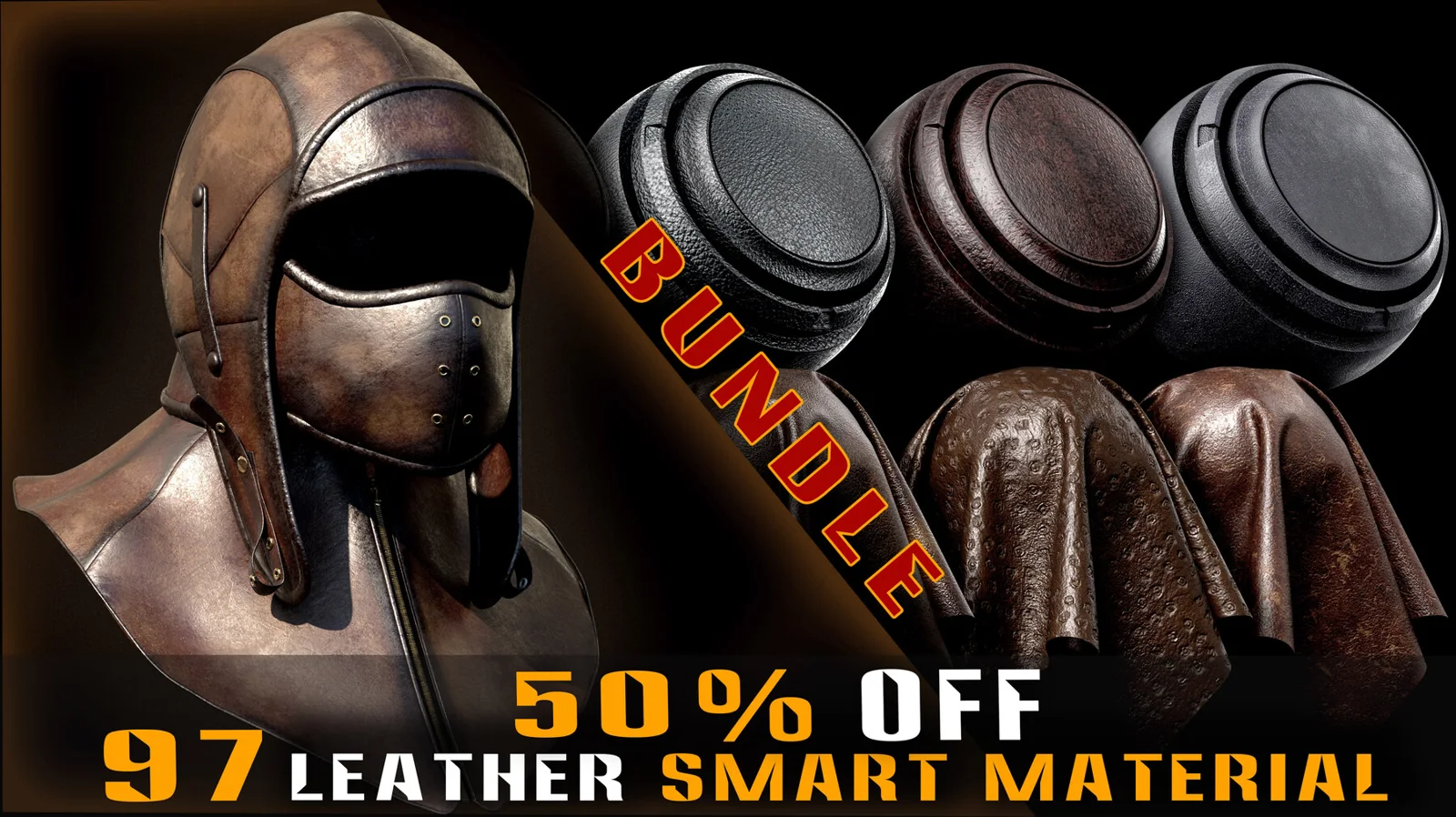
If you want to speed up your workflow and experiment with a wider range of leather looks, this Ultimate Leather Smart Materials Bundle is a strong option. It includes 97 procedural leather Smart Materials for Substance Painter, plus 54 full 4K PBR texture sets that can also be useful in other workflows.
That combination makes it especially practical if you want both ready-to-use Substance Painter materials and extra texture flexibility for other software or pipeline needs.
You can check it here: Ultimate Leather Smart Materials Bundle
Disclosure: This article contains an affiliate link. If you purchase through it, I may earn a commission at no extra cost to you.
Ready to Upgrade Your 3D Projects?
Explore game-ready 3D models, PBR materials, textures, and production-ready assets designed to help you build better scenes and save valuable development time.