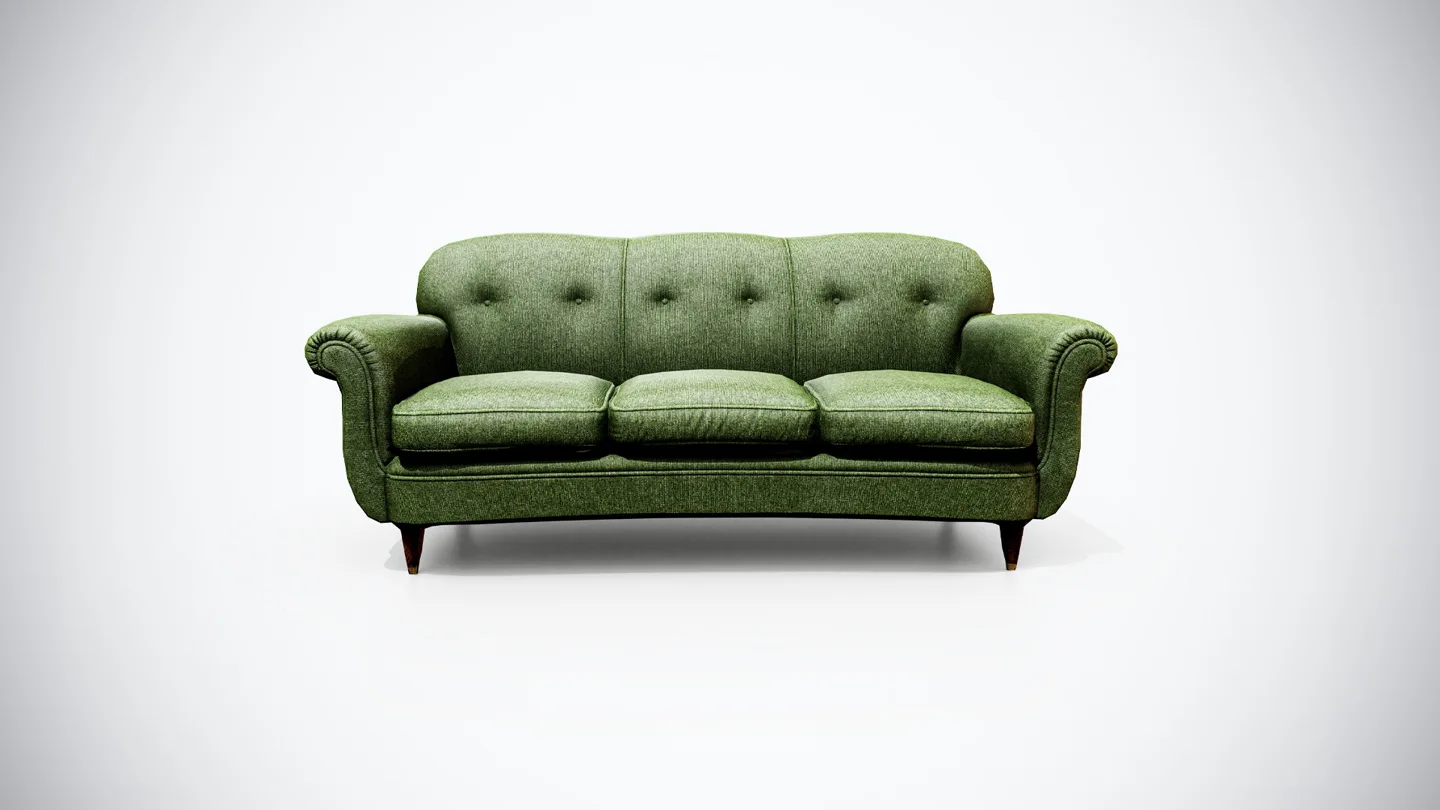
Choose a Unity prop collider from the interaction it must support, then use the simplest shape that passes that test. The visible mesh and the collision shape have different jobs. A detailed sofa does not need every cushion fold reproduced in physics just to stop a player walking through it.
This workflow is for Unity 3D physics and reusable prop prefabs. It covers fixed furniture, objects moved by physics and simple compound arrangements. It does not cover 2D colliders, character-controller design or deforming character collision.
Start with a correctly imported model. The Unity model import guide explains that stage; collider decisions are easier when dimensions and hierarchy already make sense.
Describe the collision that gameplay needs
List the actions that should work. Can the player walk around the object, place something on it, throw it, pass through a handle or select it with a query? A silhouette that matters visually may not matter physically at the camera distance or interaction scale of the game.
For a fixed sofa, you might only need a reliable obstacle and a usable seat surface. The vintage green sofa model is an example of the kind of furnished prop suited to this exercise. Build and verify a collider for your own scene requirements; the example does not imply that a specific collision setup is included in the product.
Separate critical contact surfaces from decorative details. If small props must rest on the seat, include that in the test. If the sofa is always behind a barrier, a broad simple obstacle may be sufficient. Do not add collision complexity merely because the renderer can display more detail.
Decide whether the prop is fixed, dynamic or kinematic
For this workflow, fixed scenery remains in place and does not need a Rigidbody just to act as an obstacle. A dynamic prop uses a non-kinematic Rigidbody when forces and collisions should move it. A kinematic Rigidbody supports a different kind of controlled movement and must be configured for the intended interactions.
Do not decide between these cases from the object’s name. A chair may be immovable scenery in one scene and a throwable object in another. Create explicit variants if both uses are needed, rather than leaving the behavior dependent on undocumented scene changes.
| Prop role | Starting collision approach | Main verification |
|---|---|---|
| Fixed simple obstacle | One or a few primitive colliders | Player clearance and support |
| Physics-driven simple prop | Primitive collider plus Rigidbody | Drop, slide and contact behavior |
| Physics-driven complex prop | Compound primitives or a convex mesh | Required gaps and stable motion |
| Fixed irregular geometry | Consider a mesh collider where justified | Contact accuracy and measured cost |
Check consistent scene scale before tuning collision behavior. A tiny imported prop enlarged through several parents makes inspection harder and can hide the actual dimensions you are testing.
Start with primitives and inspect the empty spaces
Fit a Box, Sphere or Capsule collider to the main contact volume when one of those shapes is suitable. For the sofa exercise, begin with the seat and back as broad volumes. Add arm coverage only where it changes the interaction you need.
Look for spaces that must remain accessible. One large box may block the space under a table or bridge an opening in a prop. That can be acceptable for a distant obstacle, but it fails if the player needs to reach through the opening.
Conversely, reproducing every small gap can make a surface unnecessarily difficult to navigate. Evaluate the collision from the player’s movement and camera rather than judging only how tightly an outline matches the render mesh. The game asset pipeline guide places this validation in the larger production process.
Use a compound setup when one shape is insufficient
A moving object can use several child colliders associated with one parent Rigidbody. Unity’s compound collider instructions describe that hierarchy. Keep the child shapes under the intended body; adding a separate Rigidbody to each child changes the arrangement into separate bodies.
For a simple assembled prop, name the collision children by their purpose and fit only the volumes needed for contact. Inspect transitions where another object will slide across them. Several small neighboring surfaces may behave differently from one continuous support surface.
Use a representative interaction test after each meaningful change. A collider layout is not proven merely because it looks tidy in the Scene view. If your gameplay uses collision callbacks, also verify the resulting event behavior rather than assuming a compound will act like one anonymous contact region.
Understand what a convex mesh changes
A convex hull fills concave recesses. An opening that is visible in the render mesh may therefore be blocked by its convex collider. Unity’s Mesh collider reference also explains that concave mesh colliders cannot be used with non-kinematic Rigidbodies; they can be static or kinematic, and two concave colliders do not collide with one another.
Use those constraints when choosing the representation. A dynamic prop with a required opening may need a compound of simpler shapes rather than one convex hull. A fixed irregular surface may justify a mesh collider when the contact detail is necessary.
Do not assume one collider type always wins on performance. Compare the actual alternatives in the target scene. A large collection of primitive shapes also has a cost, and the appropriate tradeoff depends on how the object is used.
Save the collider on the reusable prefab
Use the Unity prefab workflow to make the configured object reusable. Check the collider values in the saved asset, then drag a fresh instance into a clean test scene. This catches the common case where a working setup exists only as an unsaved scene override.
Keep a distinction between render geometry, contact shapes and any separate interaction volume. If you add a trigger for selection or proximity, give it a clear purpose and test its layer and event configuration. A collider intended only for contact should not accidentally become a trigger because a copied component carried that setting.
Review unexpected offsets through the origin and pivot workflow before compensating with arbitrary collider positions. Sometimes the problem belongs to the imported hierarchy rather than the collision shape itself.
Test behavior before increasing detail
Create a small repeatable scene with a floor, the prop and representative moving objects. Walk or move the intended controller around it. Place a small rigidbody on the surfaces that must support items. For a movable prop, test a modest drop and the expected handling motion.
If contact fails, inspect scale, collider bounds, enabled state, layers and Rigidbody configuration before adding polygons. If fast movement fails, investigate the relevant physics settings and movement method as a separate problem. A denser visual mesh is not a general collision fix.
Use the Physics Profiler under representative load before claiming a performance improvement. The game model optimization guide provides the broader principle: measure the bottleneck that matters in the delivered scene.
Record the intended role, collider arrangement and test cases with the prefab. The asset documentation guide helps make those decisions discoverable for the next user. A useful collider setup is one whose behavior matches the interaction and remains repeatable when a fresh instance is placed.