
Build a PBR Material Test Scene in Blender for Fair Comparisons
Create a reusable PBR material test scene in Blender. Compare map setup, texture scale and surface response under consistent lighting before building a full scene.
Read article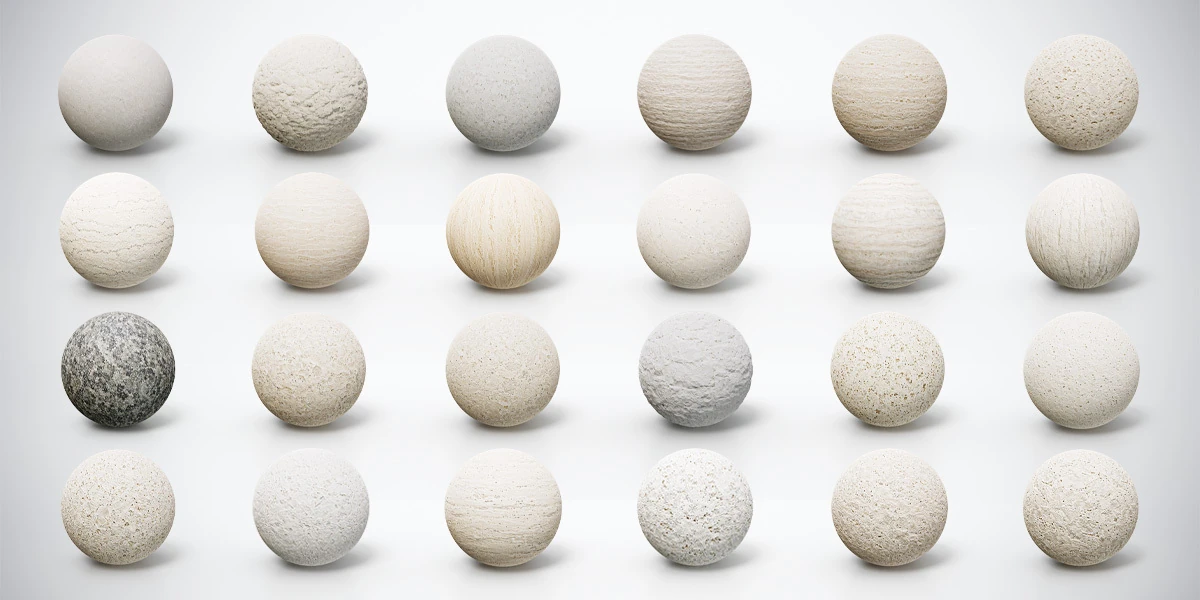
Open the image to explore the details.
Explore 24 tileable travertine, limestone and stone PBR materials with 4K PNG textures and Metallic-Roughness, Unity Standard and Unreal Engine presets.
See current pricing, available files and license details on the marketplace.
Build a light stone palette with 24 tileable travertine, limestone and natural stone PBR materials. This collection brings together soft ivory grain, cream-colored pores, horizontal layers, vertical streaks and rough chalky surfaces, alongside a contrasting dark mineral finish. Every material is supplied as 4K PNG textures, with PBR Metallic-Roughness, Unity Standard and Unreal Engine texture presets.
Use the collection for architectural panels, columns, steps, display plinths and environment props. The cover shows all 24 finishes on material preview spheres, making it easier to compare the scale and direction of their visible features before applying them to your own geometry.
The presets provide texture files for material setup. Import them into your chosen application and assign them to the appropriate shader inputs. Unity Standard targets the Standard Shader workflow; URP, HDRP or a custom shader may need different channel assignments. The included presets are texture resources rather than ready-made engine projects.
Start with a small sample on your own mesh. These three downloads use 2K textures and the PBR Metallic-Roughness workflow:
Keep the geometry and lighting consistent as you compare them. The free versions help you choose the surface character; the premium collection expands the choice to 24 materials at 4K and adds the Unity Standard and Unreal Engine texture presets.
Fine limestone grain can support the main subject without competing with it. Try a restrained ivory finish on a display base, then use a more porous or layered material on a supporting wall. A rugged chalky surface can give an aged architectural detail more visible texture, while the dark speckled option introduces contrast within the otherwise pale collection.
Directional travertine needs a different decision from scattered pores. Compare horizontal bands on a broad panel with vertical streaks on a column, and keep the texture direction intentional at edges and corners. Follow the stone palette selection exercise to assign dominant and supporting roles before filling a scene with several competing finishes.
For a broader contrast in grain and veining, explore the 24 Granite, Marble & Stone PBR Materials Bundle. The two collections offer different visual palettes that can be evaluated in the same scene.
These descriptive names follow the preview order and identify the visible finish of each material.
| No. | Surface variation |
|---|---|
| 01 | Smooth Light Ivory Limestone |
| 02 | Rough Chalky White Limestone |
| 03 | Fine-Pored Light Gray Limestone |
| 04 | Horizontally Striated Ivory Travertine |
| 05 | Weathered Layered Beige Travertine |
| 06 | Open-Pore Cream Travertine |
| 07 | Cracked Pale Limestone |
| 08 | Softly Banded Cream Travertine |
| 09 | Vertical Vein-Cut Travertine |
| 10 | Soft Cream Limestone |
| 11 | Horizontally Layered Gray-Beige Travertine |
| 12 | Vertical-Grain Pale Travertine |
| 13 | Dark Gray Speckled Natural Stone |
| 14 | Rough Porous Beige Limestone |
| 15 | Fine-Pitted Ivory Limestone |
| 16 | Rugged White Limestone |
| 17 | Warm Ivory Pitted Travertine |
| 18 | Fine-Pored Pale Limestone |
| 19 | Shell-Patterned Porous Limestone |
| 20 | Scratched White Limestone |
| 21 | Horizontal-Cut Pale Travertine |
| 22 | Eroded White Porous Stone |
| 23 | Weathered Sandy Beige Limestone |
| 24 | Coarse-Pitted Warm Ivory Stone |
Use a flat panel to judge pore size and repeat spacing, a curved object to inspect highlights, and a beveled block to review edge transitions. The Blender PBR material test scene provides a repeatable setup for these comparisons. Tileable textures still benefit from deliberate mapping: choose their apparent scale against the object and the final camera distance.
You can also inspect compatible local maps in the PBR Material Previewer before building the full scene. For an engine handoff, use the Blender, Unity and Unreal stone material checklist to review map interpretation, channel assignments and normal detail in a controlled order.
Open the Superhive listing for the current purchase options and commercial license terms. The free samples have their own download and attribution information on their individual pages.
Create a reusable PBR material test scene in Blender. Compare map setup, texture scale and surface response under consistent lighting before building a full scene.
Read articleChoose granite, marble and stone materials for 3D interiors by comparing grain, veins, finish and camera distance with a practical three-surface exercise.
Read articleValidate stone PBR materials in Blender, Unity and Unreal. Check UV scale, color space, roughness, smoothness and normal maps before changing the lighting.
Read article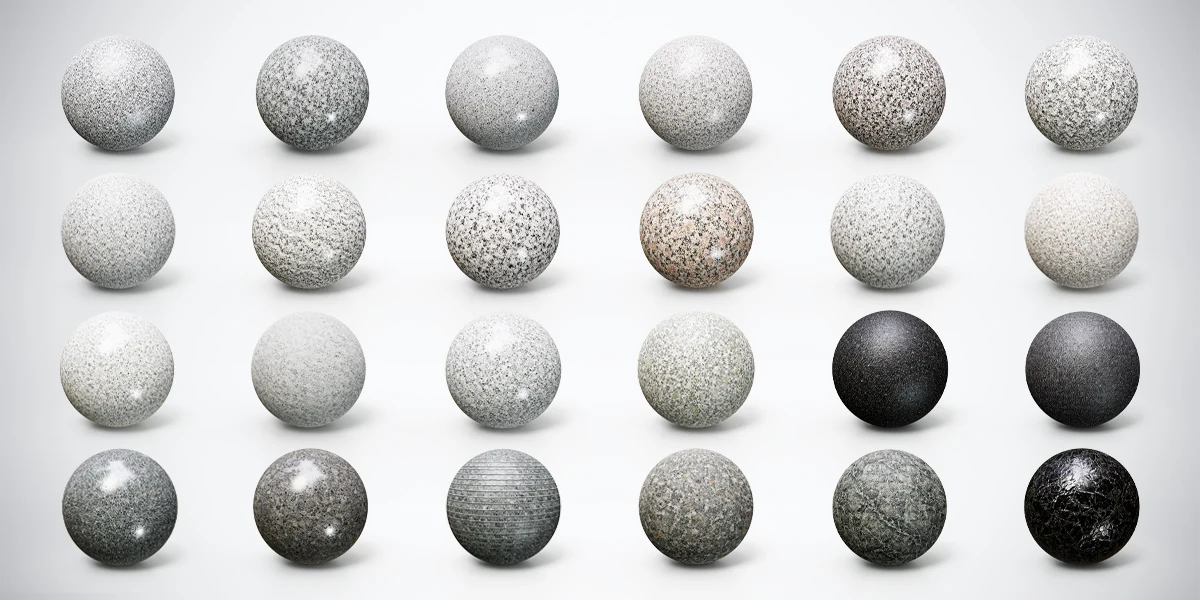
Compare 24 granite, marble and stone PBR materials with 4K textures and Metallic-Roughness, Unity and Unreal presets for interiors and 3D props.
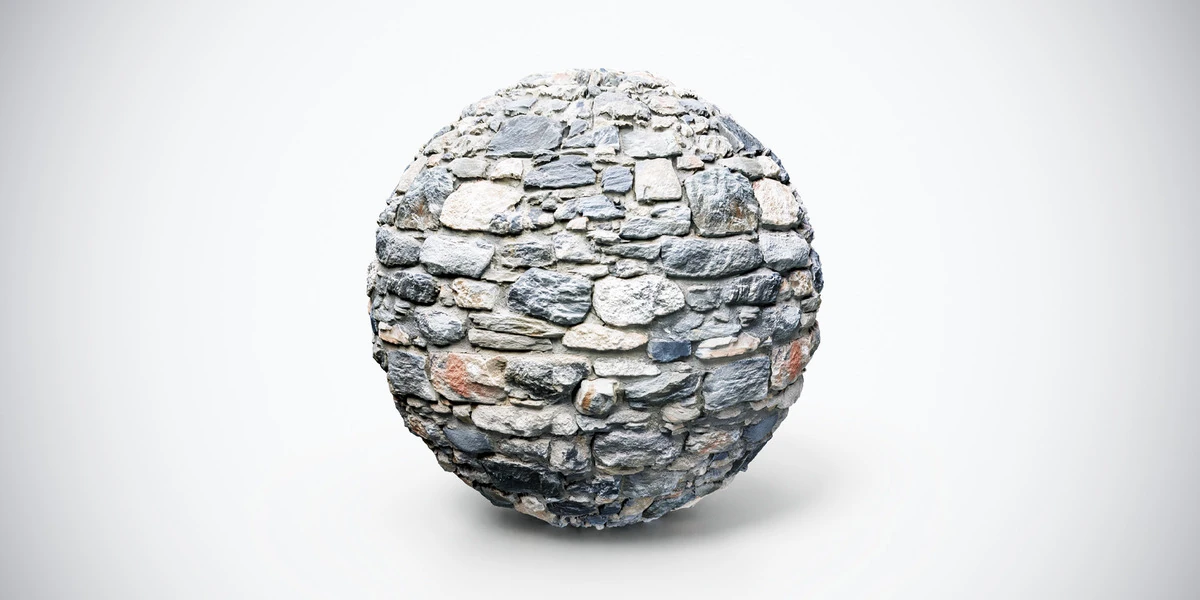
Dark medieval stone wall PBR texture with rugged gray stones and weathered joints. Seamless 1K, 2K and 4K PNG maps for fortresses and fantasy ruins.
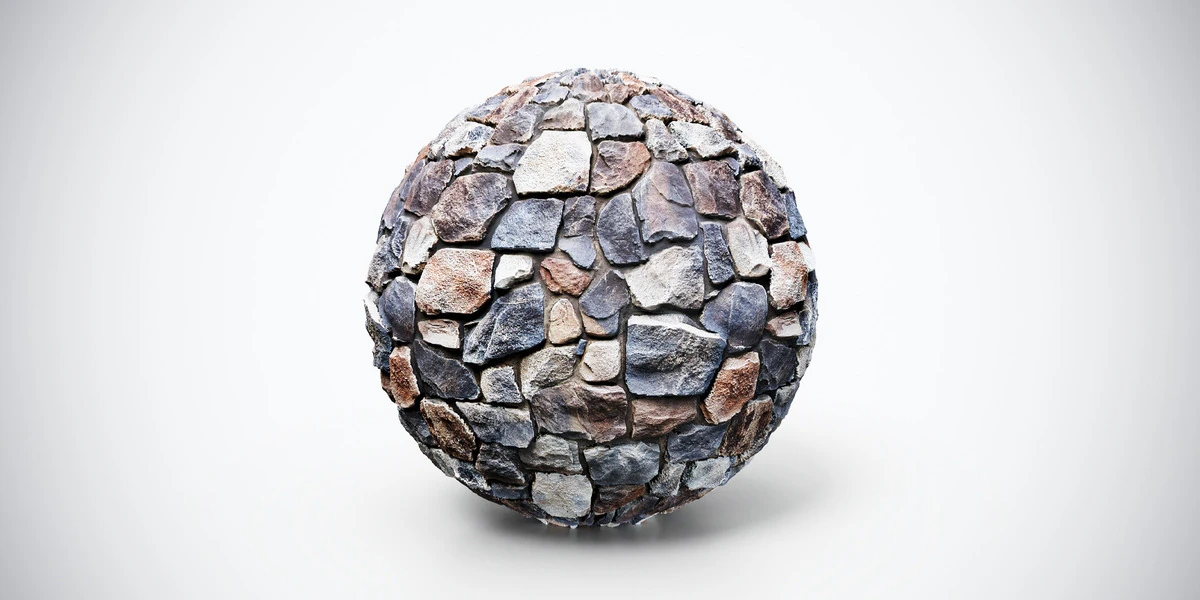
Dark stone wall PBR texture with rugged multicolored blocks and deep joints. Seamless 1K, 2K and 4K PNG maps for castles, ruins and architectural scenes.