
Granite vs Marble for 3D Renders: Choose the Right Surface
Choose granite, marble and stone materials for 3D interiors by comparing grain, veins, finish and camera distance with a practical three-surface exercise.
Read article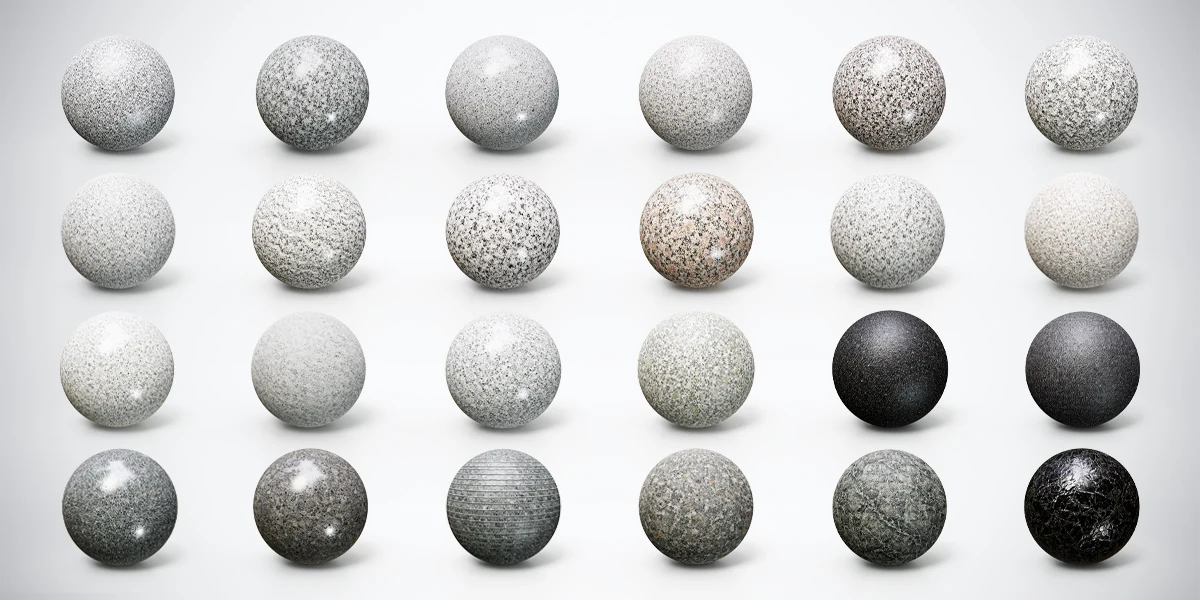
Open the image to explore the details.
Compare 24 granite, marble and stone PBR materials with 4K textures and Metallic-Roughness, Unity and Unreal presets for interiors and 3D props.
See current pricing, available files and license details on the marketplace.
Build a stone palette for interiors, architectural surfaces and props with 24 granite, marble and stone PBR materials. The collection includes 4K textures and Metallic-Roughness, Unity and Unreal Engine texture presets, with appearances ranging from quiet pale grain to coarse speckles, dark polished surfaces and prominent marble veining.
Use the variations to compare a countertop, a wall panel or a display plinth under consistent lighting. The cover shows all 24 surfaces on preview spheres; these illustrate the materials rather than a collection of included sphere models.
The engine presets are texture resources, not preconfigured Unity or Unreal projects. Importing the images, assigning channels and configuring the destination shader may still require manual setup. Choose the preset for your workflow and check its contents before connecting the maps.
Test a small selection on your own geometry before choosing a full stone palette. These free downloads use 2K textures with the PBR Metallic-Roughness preset:
Compare them under the same lighting and at the intended camera distance. Each free landing page provides its download and attribution guidance. The complete premium bundle adds the full selection of 24 materials, 4K textures and the additional Unity and Unreal texture presets.
The lighter granites offer several grain sizes and color balances. Fine gray and ivory speckles can support a restrained interior, while coarser salt-and-pepper or rose-beige patterns give a broad surface more visible variation. Compare them at the intended camera distance: a finish that reads clearly on a large sphere may become visually busy across an entire room.
Dark options include textured basalt-like appearances and polished gray stone. These are candidates for a display base, an accent surface or a contrasting countertop. The linear-grooved and weathered finishes offer a different kind of surface rhythm from a smooth slab. Gray-green and glossy black veined marble provide stronger directional marks for a focal panel or tabletop.
For a practical selection exercise, follow Granite vs Marble for 3D Renders. It compares pattern, finish and visual hierarchy before committing to a complete scene. Material names describe appearance and are not geological certification.
The names below identify the visual variations in the collection. They help you shortlist surfaces without treating every light or dark stone as interchangeable.
| No. | Descriptive finish |
|---|---|
| 01 | Fine Speckled Light Gray Granite |
| 02 | Coarse Salt-and-Pepper Granite |
| 03 | Smooth Silver Gray Granite |
| 04 | Soft White Fine-Grain Granite |
| 05 | Warm Pink and Black Granite |
| 06 | Coarse Ivory and Gray Granite |
| 07 | Light Gray Dense-Grain Granite |
| 08 | Rough White Veined Granite |
| 09 | White Granite with Dark Mineral Flecks |
| 10 | Rose Beige Spotted Granite |
| 11 | Cool White Gray Speckled Granite |
| 12 | Cream Beige Fine-Grain Granite |
| 13 | Pale Ivory Granite with Warm Speckles |
| 14 | Soft Gray Fine-Grain Stone |
| 15 | Coarse White and Gray Granite |
| 16 | Pale Greenish Gray Granite |
| 17 | Deep Black Textured Basalt |
| 18 | Charcoal Fine-Textured Basalt |
| 19 | Polished Dark Gray Granite |
| 20 | Polished Gray Volcanic Stone |
| 21 | Linear-Grooved Gray Stone |
| 22 | Weathered Multitone Gray Stone |
| 23 | Gray-Green Veined Marble |
| 24 | Glossy Black Veined Marble |
Start with the object’s dimensions and visible construction. A slab countertop needs deliberate edge treatment and pattern continuity; a set of separate wall panels can have intentional joints and independently positioned patterns. Texture resolution alone does not define the physical size of a grain or vein.
The Blender stone countertop workflow walks through a slab exercise, checker validation, shared map coordinates and vein placement around the front edge. Use it to test a shortlisted surface on actual geometry before choosing a final finish.
For masonry with visible courses and mortar, a dedicated surface such as Weathered Courses Stone Wall answers a different construction need. Select slab-like stone and assembled blockwork according to the object, even when both belong to the same room.
Use a small PBR material test scene to compare candidates with the same mesh, camera and lighting. The PBR Material Previewer can help inspect compatible local texture files before moving into the destination project.
For engine work, follow the stone material validation checklist. It separates coordinate problems, color-space settings, roughness or smoothness interpretation and normal-map setup. A texture preset is a starting point for that inspection, not a promise of identical rendering across engines.
Open the Superhive listing for current package details, pricing and license terms. The advertised resolution is 4K; plan any smaller project-specific derivatives yourself if your texture budget requires them.
Choose granite, marble and stone materials for 3D interiors by comparing grain, veins, finish and camera distance with a practical three-surface exercise.
Read articleBuild a believable stone countertop in Blender. Set texture scale, map slab edges, align marble veins and review PBR materials at the final camera distance.
Read articleValidate stone PBR materials in Blender, Unity and Unreal. Check UV scale, color space, roughness, smoothness and normal maps before changing the lighting.
Read article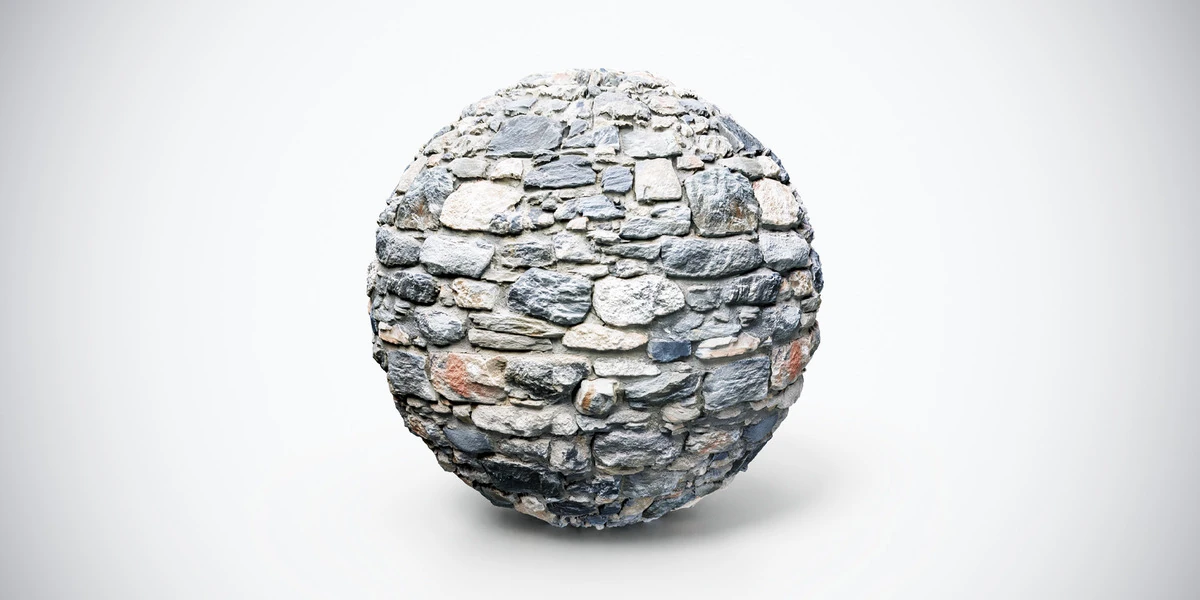
Dark medieval stone wall PBR texture with rugged gray stones and weathered joints. Seamless 1K, 2K and 4K PNG maps for fortresses and fantasy ruins.
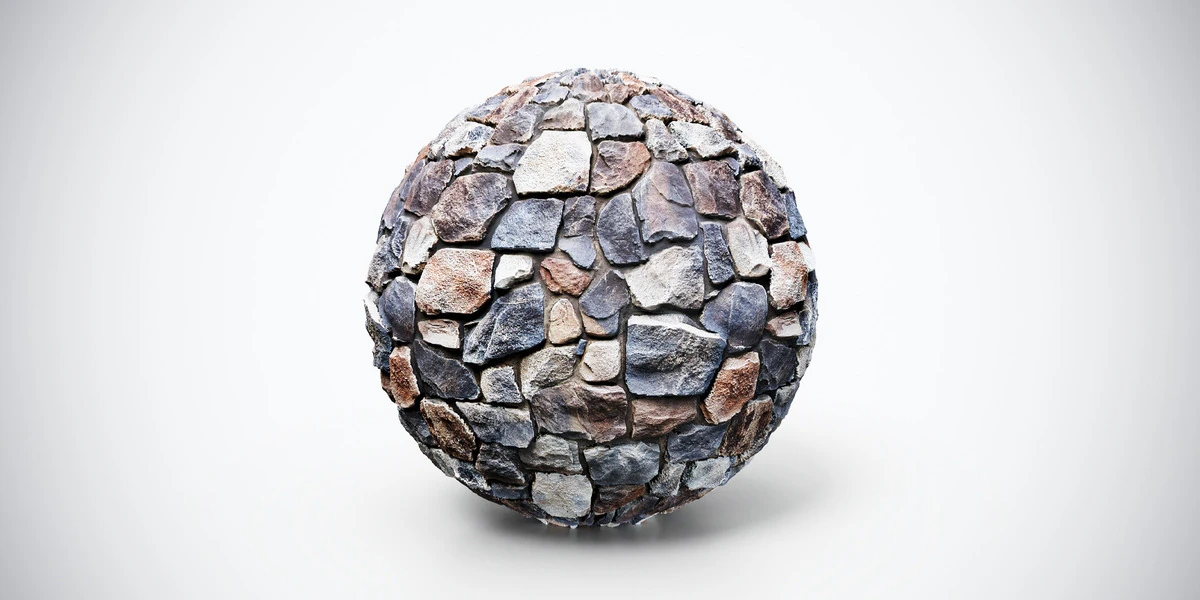
Dark stone wall PBR texture with rugged multicolored blocks and deep joints. Seamless 1K, 2K and 4K PNG maps for castles, ruins and architectural scenes.
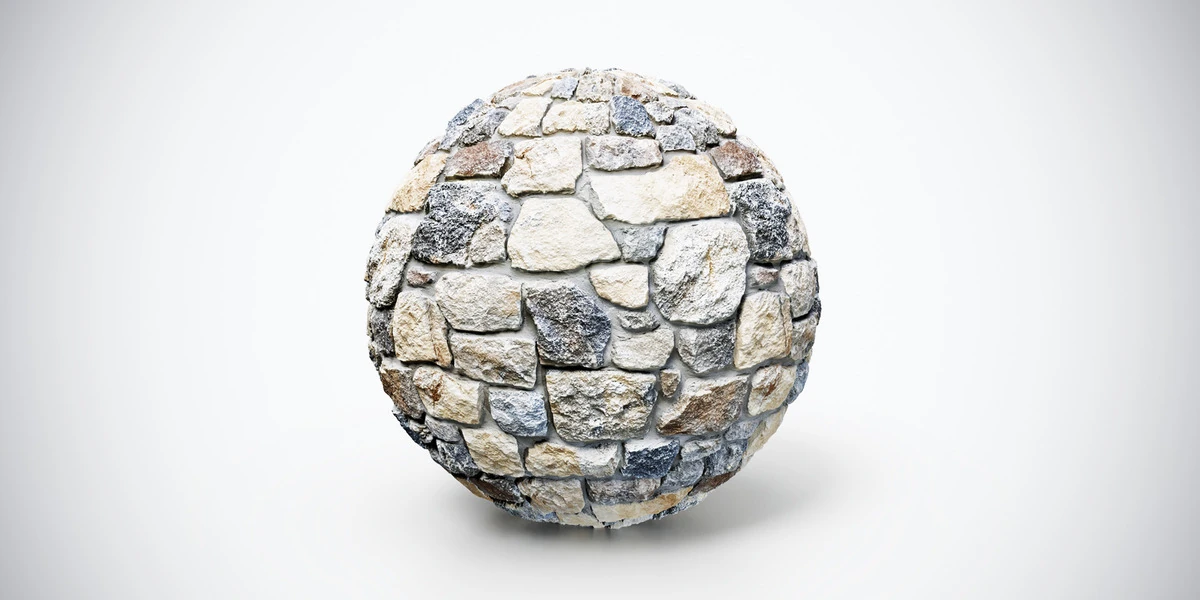
Light stone wall PBR texture with warm beige and gray blocks and rough weathering. Seamless 1K, 2K and 4K PNG maps for village walls and architecture.