
Server Room HDRI Lighting in Blender: A Practical Guide for Tech Products
Light tech products in Blender with server room HDRIs. Compare three free 4K maps, control reflections and exposure, and build a repeatable indoor lighting setup.
Read article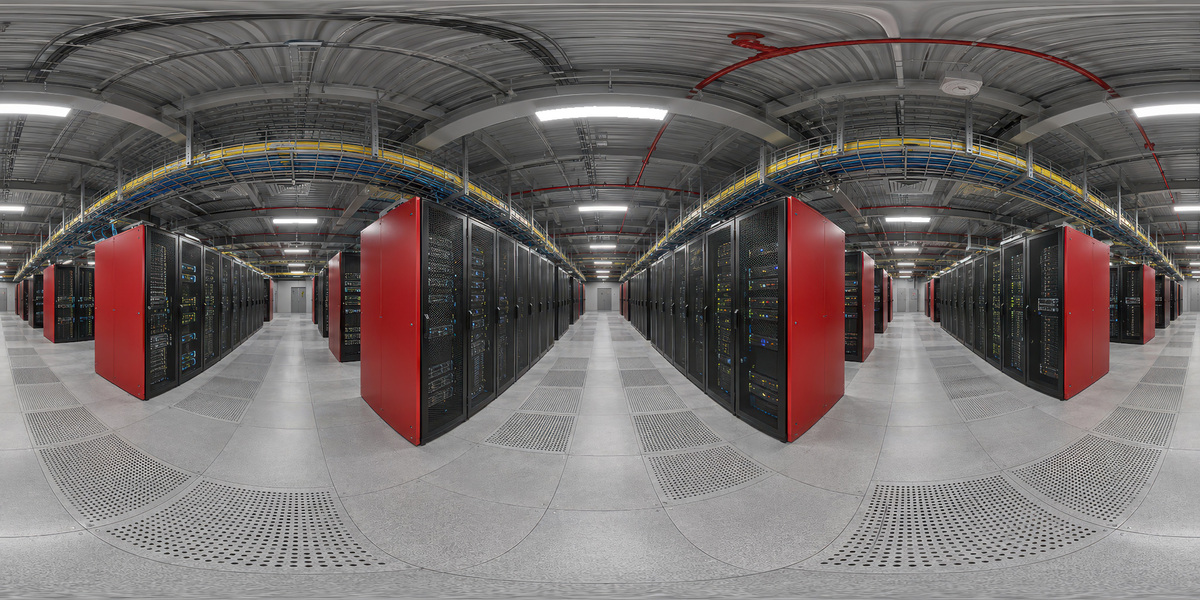
Open the image to explore the details.
Explore a server corridor HDRI with red rack panels, ceiling strips and industrial detail. Includes unclipped 10K, 4K and 2K environment lighting maps.
See current pricing, available files and license details on the marketplace.
Red rack end panels punctuate rows of dark server cabinets beneath long white ceiling fixtures. Yellow cable trays and a perforated gray floor add smaller industrial details around the viewer. The result is a technical environment with clear red accents and repeated overhead shapes.
Try this corridor for equipment visualization, metal components or a product with a red accent. Rotate the map to move a red panel into a side reflection, then check whether the overhead highlights still reveal the main form. A reflection that looks attractive on polished metal may become a broad color wash on rough plastic.
The room remains a panorama: moving the camera does not create correct parallax between racks. For a close product shot, use the HDR for surrounding light and reflections, and build any nearby floor or props as actual geometry. Keep readable labels away from strong reflected strips.
Follow the server room HDRI lighting guide to compare maps with a fixed camera and material setup. For reflective housings, the metal lighting guide explains how bright and dark regions reveal form.
Created by 3DSkillUp, this environment is listed in 10K, 4K and 2K, in 32-bit HDR format with an unclipped, 360° equirectangular layout. The image above is a web preview, not the HDR lighting file. Its appearance cannot establish a measured exposure range.
Start with 2K for lighting tests, then compare 4K or 10K when smooth reflections or a visible background need more detail. Load the purchased HDR in your renderer’s environment-lighting workflow. In Blender, use a World Environment Texture connected through Background to World Output; the HDRI setup guide covers the steps.
This red-panel corridor is included in the 24-environment collection. The full bundle lets you compare several server room layouts and color treatments within one lighting library.
Explore the complete 24 Unclipped Server Room HDRIs bundle for the collection overview and three free 4K samples. Those samples are separate environments; this individual HDRI is a premium asset.
For a focused comparison, try Dark Server Aisle with Green Status Lights HDRI for a darker alternative with smaller green details and cool ceiling strips. Browse the HDRI catalog to filter other environments by lighting and scene.
AI-assisted, manually refined. This asset is designed primarily for environment lighting and reflections. Inspect fine details before using it as a prominent background. The panorama supplies image data, not server models or room geometry. You can separate the camera background from the HDRI while retaining the reflected environment.
Preview image: Copyright 3DSkillUp. Check the current package and license details on the linked Superhive product page.
Light tech products in Blender with server room HDRIs. Compare three free 4K maps, control reflections and exposure, and build a repeatable indoor lighting setup.
Read articleLight metal objects in Blender with controlled reflections. Build a readable highlight, preserve dark edges and compare studio HDRIs before changing roughness.
Read articleKeep HDRI lighting and reflections while using a different background in Blender Cycles. Connect Light Path and Mix Shader nodes and check common mistakes.
Read article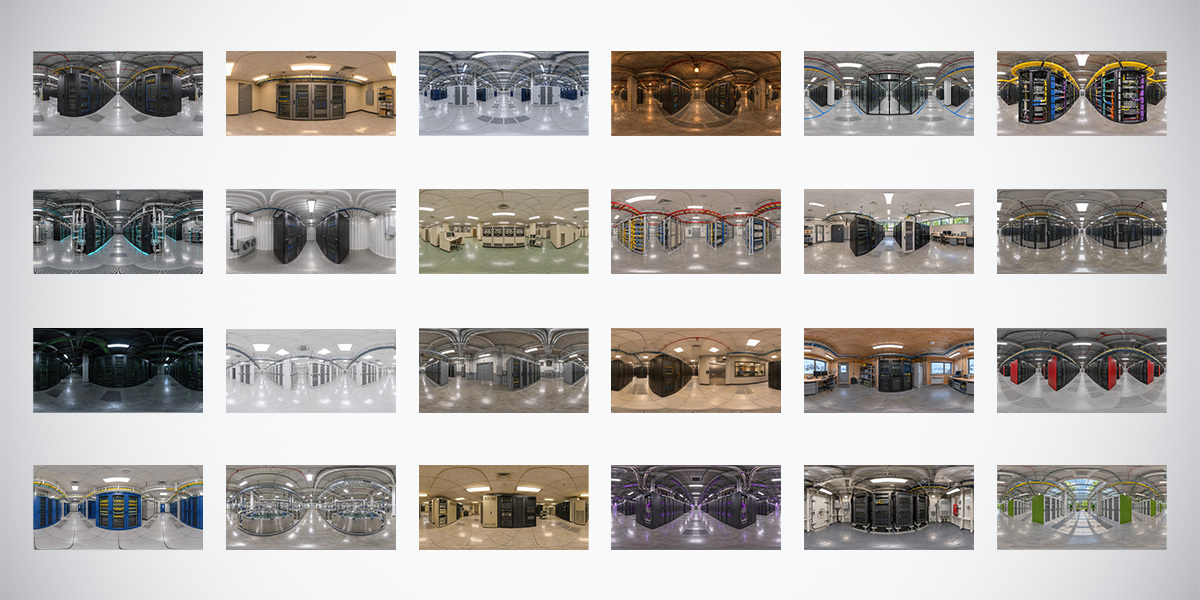
Explore 24 unclipped server room HDRIs in 10K, 4K and 2K. Compare indoor lighting and reflections, and try three free 4K data center environments.
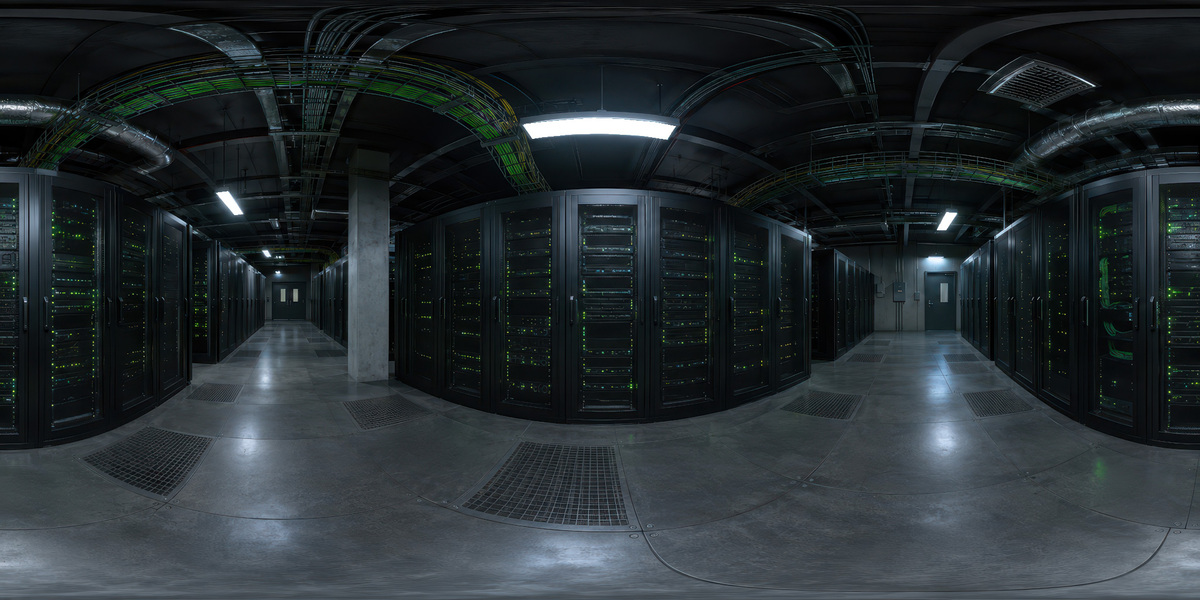
Explore a dark server aisle HDRI with green status lights and cool ceiling strips. Includes unclipped 10K, 4K and 2K maps for lighting and reflections.
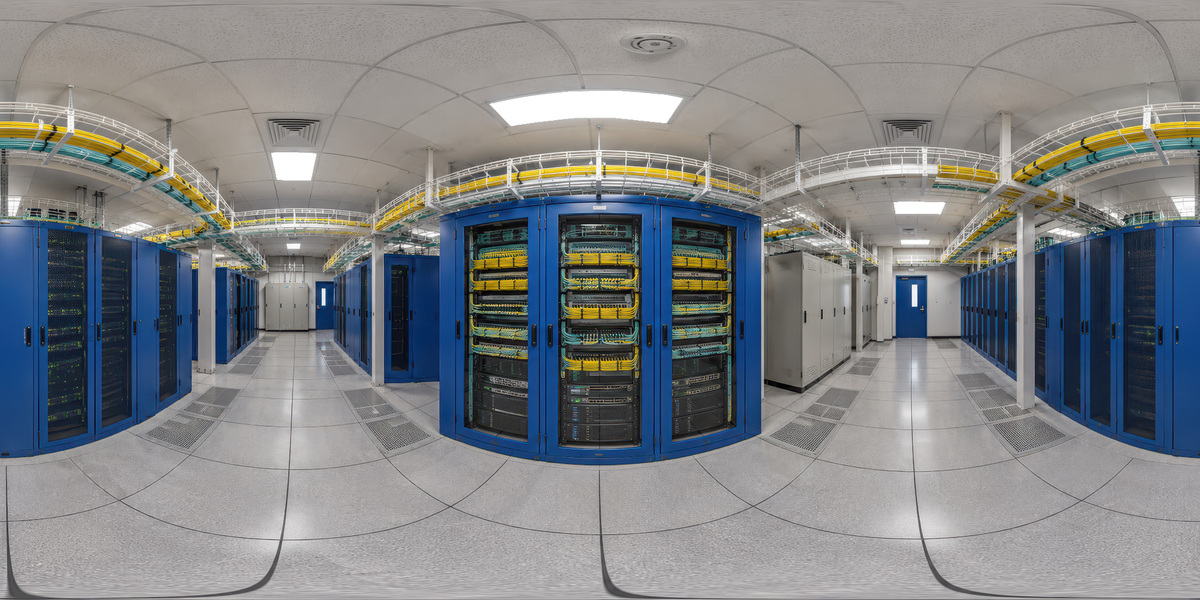
Explore blue server racks and yellow cable trays in a bright indoor HDRI. Includes unclipped 10K, 4K and 2K maps and a link to the 24-map collection.