
How to Choose Dog 3D Models for Games
Choose dog 3D models for games by comparing silhouettes, camera distance, scene scale and animation needs, with a practical shepherd and herding dog example.
Read article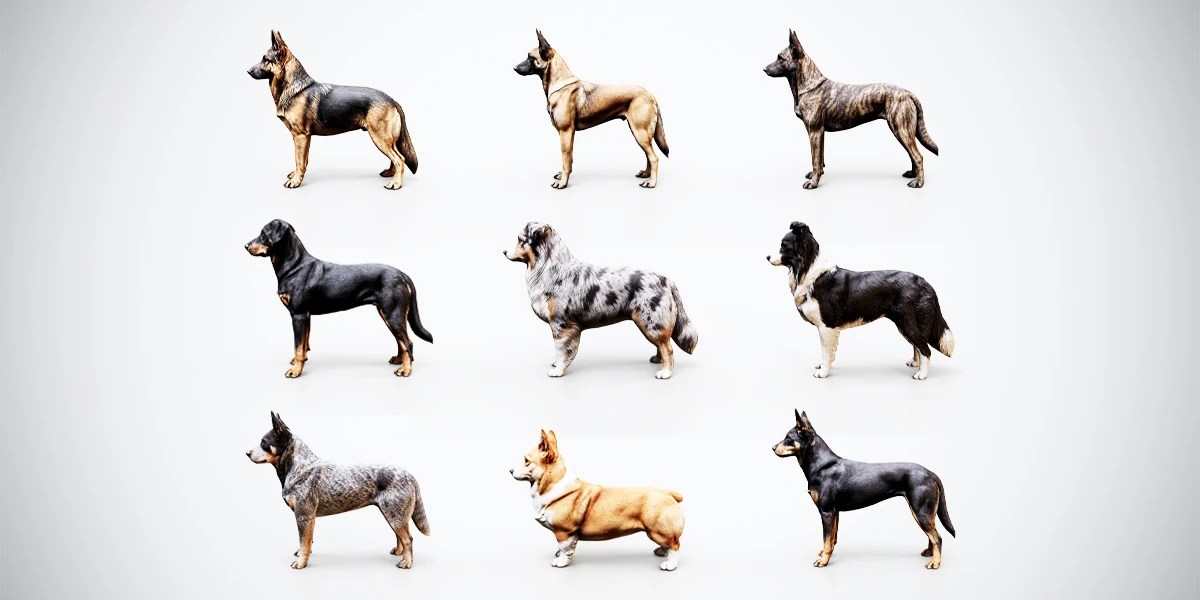
Open the image to explore the details.
Bring working dogs into your scenes with 10 static and rigged 3D models, BLEND and FBX files, and PBR textures up to 4K for Blender, Unity and Unreal Engine.
See current pricing, available files and license details on the marketplace.
Give a farm, village or companion-character project a recognizable working dog. This collection brings together 10 game-ready dog models representing 9 breeds, with differences in body proportions, ear shapes, tails and coat markings. Each model includes static and rigged versions, so you can choose a starting point for a still scene, a posed character or your own animation work.
Start with the free rigged German Shepherd 3D model to explore its black-and-tan appearance and create your own poses. The sample includes static and rigged BLEND/FBX files, textures packed into both BLEND files, and 2K textures with Blender and PBR Metallic-Roughness presets. Its landing page provides the preview, direct ZIP download and attribution guidance. The premium pack expands your choice to the complete collection below.
The two Corgis are separate model variations of the same breed. Choose the shapes your project needs: the taller shepherds, fuller-coated herders and compact Corgis provide different profiles at gameplay distance. The single models versus asset bundles guide helps you assess useful variety before expanding your asset library.
Each dog in the premium bundle has four delivery options:
| File | Use it for |
|---|---|
| Static BLEND with packed textures | Blender scene assembly, material inspection and still renders |
| Static FBX | Importing an undeformed mesh into compatible software |
| Rigged BLEND | Posing the skinned character and creating your own animation |
| Rigged FBX | Bringing the skeletal mesh into a compatible character pipeline |
Keep the native Blender project as your editable source and use the export that matches your destination. The 3D model file formats guide explains how native projects, interchange files and separate texture resources fit together.
The collection uses a PBR Metallic-Roughness workflow, with texture resources up to 4K and presets for Blender, Unity and Unreal Engine. Coat colors range from black-and-tan and fawn to brindle, blue merle and mottled patterns. The textures are packed into the static BLEND files; use the supplied resources when setting up materials for an FBX import or reconnecting a rigged project.
Inspect the coat under your scene lighting before making adjustments. Begin with a neutral presentation, check dark markings and pale patches together, then choose texture settings appropriate to the model’s screen size. Engine shader assignments may need configuration for your project’s rendering pipeline.
Use the rigged versions to establish a pose, check ground contact and create custom motion. The bundle supplies skeletal characters; walk, run and idle clips are not included. Animation, controllers and gameplay behavior are work you add for your project.
For Unity, a dog belongs in a non-humanoid workflow. Unity’s Generic animation import documentation describes that setup. Blender-specific controls and constraints also need consideration when preparing engine animations.
Apply the scene, deformation and motion checks in the rigged-character evaluation guide to a quadruped: inspect shoulders, hips, paws and tail through the poses you intend to use. Keep its Humanoid-specific mapping steps for humanoid characters. A small evaluation scene makes material, skeleton and animation changes easier to compare before adding a full gameplay controller.
Start with the dog model selection guide to compare silhouettes, coat contrast and camera distance before choosing a breed for your scene. Its practical selection record helps connect each model to a specific character or environment role.
For native Blender work, the rigged dog posing tutorial shows how to establish paw contact, balance the body and review a standing pose from several angles. Use those checks as a starting point for your own presentation or animation work.
When the destination is a game project, continue with importing a rigged dog into Unity. The guide focuses on Generic rig settings, source FBX selection, PBR material assignment and a small evaluation scene before gameplay integration.
The collection uses an AI-assisted, human-directed workflow, with human-guided mesh refinement, UV and texture preparation, material setup and rigging. Visit the Superhive listing for the current package details and commercial licence.
Choose dog 3D models for games by comparing silhouettes, camera distance, scene scale and animation needs, with a practical shepherd and herding dog example.
Read articlePose a rigged dog in Blender with a practical workflow for paw contact, body balance, head direction and deformation checks before rendering or export.
Read articleImport a rigged dog into Unity with Generic rig settings, the right source FBX, PBR material checks and a simple validation scene before gameplay setup.
Read article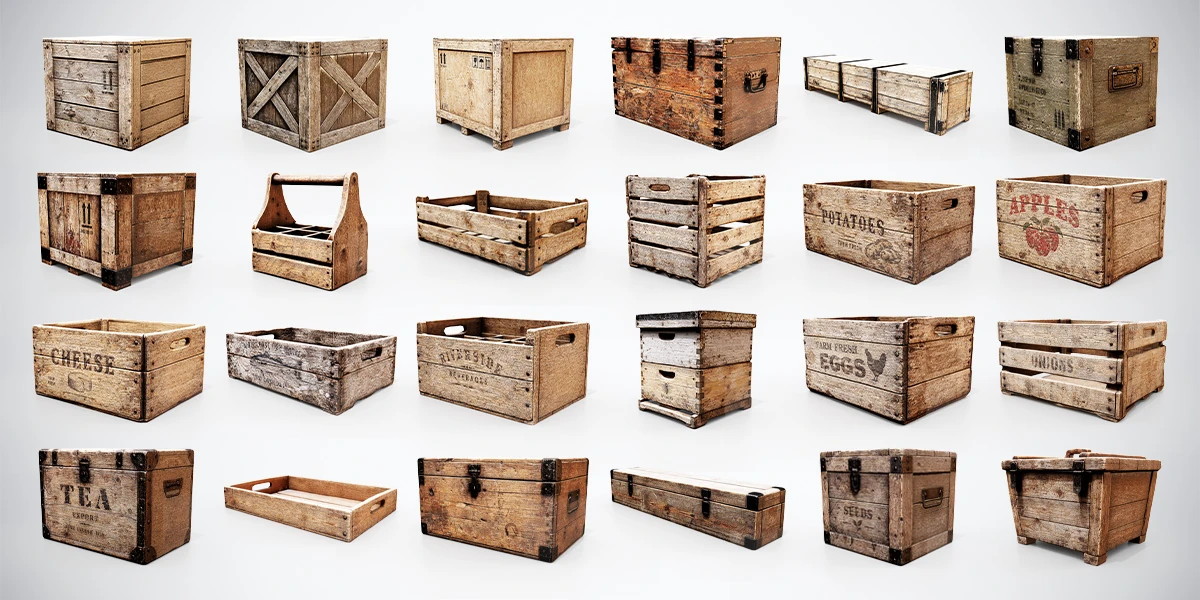
Build warehouses, markets and rustic scenes with 24 low-poly wooden crates and boxes. Includes BLEND, FBX, OBJ files and PBR texture presets.
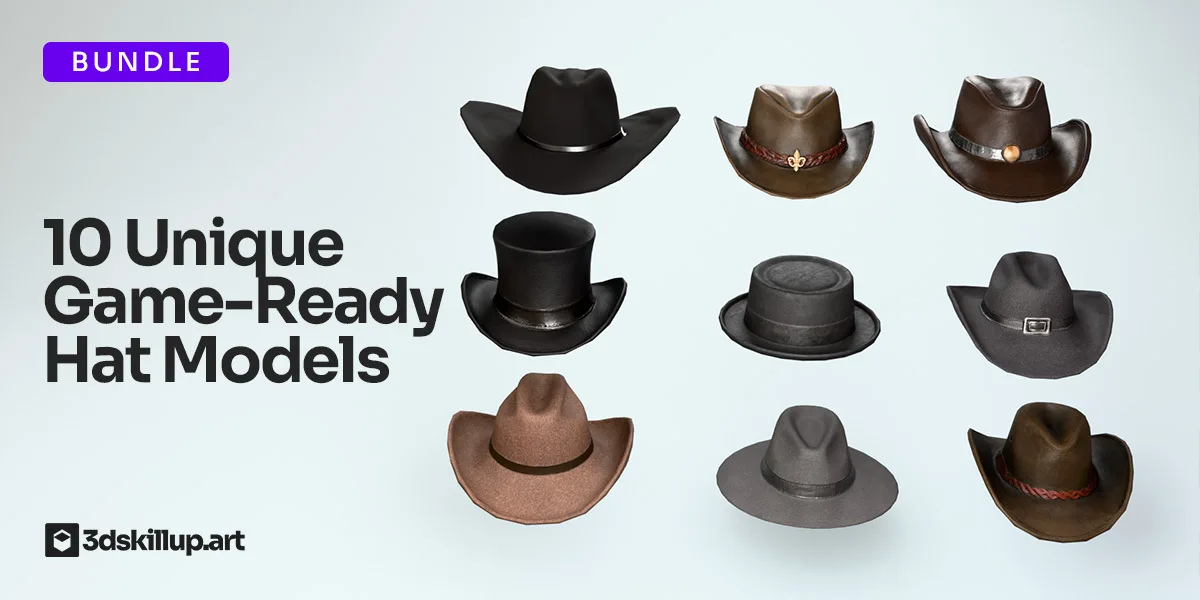
Enhance your characters with this Cowboy Hats Pack featuring 10 unique, game-ready 3D models designed for real-time performance. Each hat includes clean topology, optimized polycount, and high-quality PBR textures for…
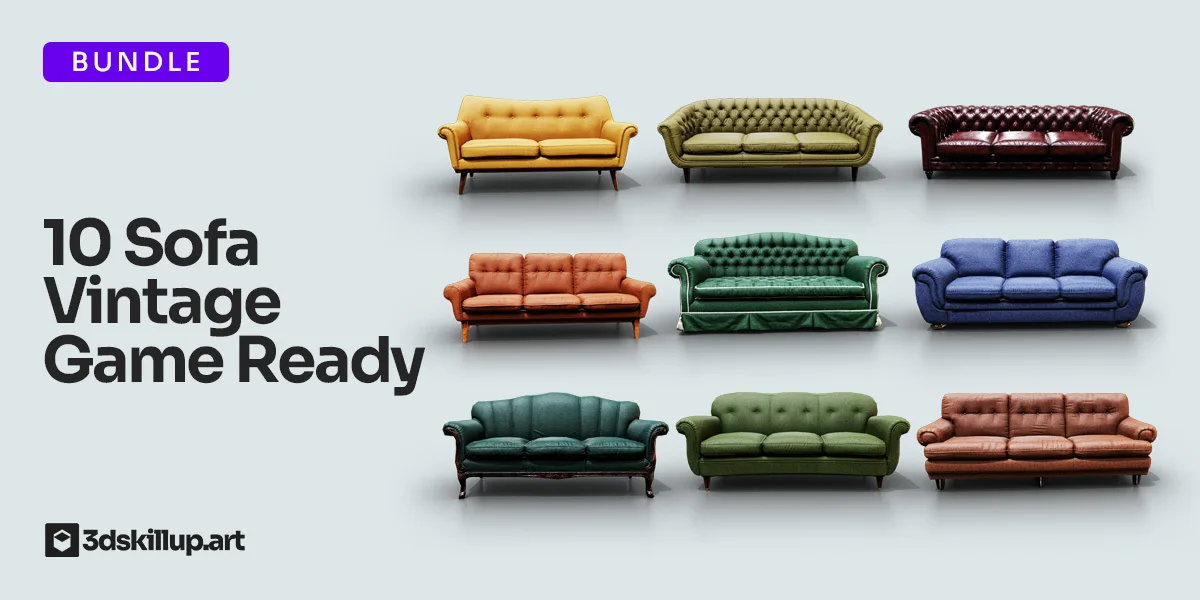
Enhance your interior scenes with this Vintage Sofa Bundle featuring 10 game-ready 3D sofa models. Designed for Unity, Unreal Engine, Blender, cinematic renders, architectural visualization, VR/AR projects, and…